Answering the common question “what address labels should I use for wedding invitations?” here are five reliable options suited to different needs. These labels help create a cohesive, professional look for wedding envelopes, thank you cards, and gifts. Best for: DIY brides and couples coordinating invitations, planners needing bulk options, and anyone seeking clear, durable labeling. The following table highlights each pick and its ideal use to guide a quick comparison.
| Product | Best For |
|---|---|
| Personalized Return Address Labels – Bunny Badges | Custom text with flexible quantities (100–1000) |
| Lincia 20 Sheets 600 Pcs Greenery Leaf Labels | Budget-friendly, printable greenery theme |
| Avery Printable Address Labels with Sure Feed | Glossy, crystal-clear appearance for glass or plastics |
| The Papered Wedding 30 Flower Styles | Highly personalized, floral design options |
| Premium Label Supply Glossy Clear Labels | Clear, professional look with strong adhesion |
Personalized Return Address Labels – Bunny Badges (100–1000)

These custom return address labels are designed for wedding envelopes, invitations, and thank-you cards. The label sheet allows your own text to appear clearly, suitable for mailing envelopes, gifts, and other correspondence. Best for couples who want a simple, personalized look without complicated design work.
Who it’s best for: couples seeking straightforward customization with flexible quantities. Why chosen: the option to order between 100 and 1000 labels makes it adaptable for both small weddings and larger guest lists. Caution: ensure your text fits within the standard 2.5″ x 0.75″ label size to avoid overflow.
Lincia 20 Sheets 600 Pcs – Eucalyptus Greenery Labels

This set includes 600 address labels with a greenery eucalyptus design, ideal for a botanical wedding theme. The sheets are compatible with common laser, inkjet printers, and copiers, making them convenient for home or small-office workflows.
Who it’s best for: budget-conscious couples who want a cohesive greenery motif. Why chosen: a large quantity across 20 sheets reduces refills during assembly. Caution: the design is decorative; verify legibility if you plan dense typography or long names.
Avery Printable Address Labels with Sure Feed
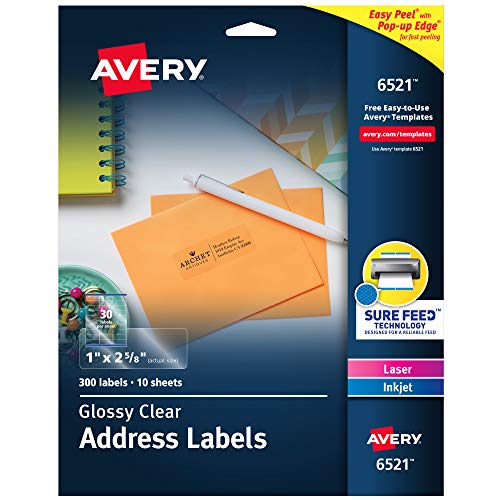
These glossy, transparent address labels disappear on glass and plastic surfaces, delivering a premium, nearly invisible finish for wedding décor. The Sure Feed technology helps maintain consistent printer alignment for reliable feeds in laser or inkjet printers.
Who it’s best for: couples who want a high-end, “no-label” look on envelopes or glass surfaces. Why chosen: the innovative feeding technology reduces misfeeds. Caution: the glossy transparency may require careful color choices to ensure readability on light backgrounds.
The Papered Wedding – 30 Flower Styles

This option emphasizes customization with 30 flower graphics, 15 designer fonts, and multiple font colors. You can personalize the text, making it ideal for wedding envelopes that require a distinctive, coordinated floral theme.
Who it’s best for: couples who want a highly customized, floral aesthetic. Why chosen: strong design flexibility to match invitation suites. Caution: customization may require more time in the ordering process to ensure the final look aligns with your invitation design.
Premium Label Supply – Glossy Clear Address Labels

This set delivers crystal-clear labels with a strong adhesive suitable for various surfaces. They are compatible with both laser and inkjet printers and are designed to present a clean, professional finish for wedding mailings.
Who it’s best for: those needing a durable, discreet label that blends with any envelope color. Why chosen: the combination of clear finish and reliable adhesion makes them versatile for multiple wedding uses. Caution: ensure proper alignment on smaller printers to avoid misfeeds.
Buying Guide: Key Considerations For Wedding Address Labels
- Printer Compatibility: Confirm whether labels are designed for laser, inkjet, or both. Some sheets work better with specific printer types.
- Finish Preference: Clear, glossy, or matte finishes affect readability and envelope appearance. Choose based on your invitation color palette.
- Quantity Needs: Estimate total envelopes and opt for packs that minimize reorders. Consider bundles offering 100–1000 labels.
- Design and Personalization: If matching a wedding theme, assess whether floral, greenery, or geometric designs fit your invitations. Verify font options and color choices.
- Adhesive Strength: Strong adhesives are important for sealed envelopes or textured papers. Check if the labels adhere well to specialty envelopes.
- Size and Readability: Ensure label size (commonly around 2.5″ x 0.75″ or 2.5″ x 1″) accommodates names and addresses without crowding.
Frequently Asked Questions
- What label finish looks most premium for wedding invitations?
A glossy or clear label often provides a sleek, professional appearance that blends with various envelope colors. - Should I choose pre-printed or customizable labels?
Customizable labels offer a cohesive look, especially when paired with RSVP cards and invitation wording. - What size is standard for return address labels?
A common size is 2.5″ x 0.75″, which fits most envelopes without overlapping. - Can I print these labels at home?
Yes, most are designed for home printing with laser or inkjet printers. - Which label type is best for greenery or floral wedding themes?
Labels with botanical motifs or floral designs (like eucalyptus or flowers) create a cohesive theme with invitations. - Is there a risk of label misalignment?
Some label sheets include feed-assist features; verify your printer’s margins and test print on a blank sheet first.